Open Webpage
Command description
Open a URL in the specified browser and return a WebPage object for subsequent webpage automation commands.
Command Input Parameters
| input parameters | Input parameter type | Description |
|---|---|---|
| Browser Type | enum | Google Chrome, Edge, QQ Browser, BitBrowser, AdsPower |
| url | str | URL to open |
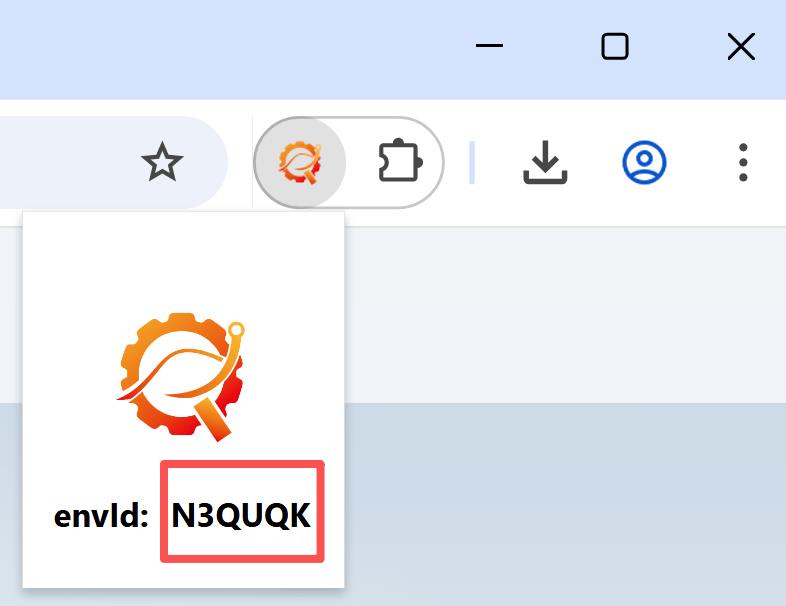
| envId | str | Environment ID of the target BitBrowser or AdsPower window. Required only for those browser types |
| Page Load Timeout | number or str | Maximum time to wait for the webpage to load, in seconds |
Command Output Parameters
| Output parameters | Output parameter type | Description |
|---|---|---|
| Webpage Object | WebPage | Opened webpage |
Type definition reference
To open a webpage in a specific BitBrowser or AdsPower window:
-
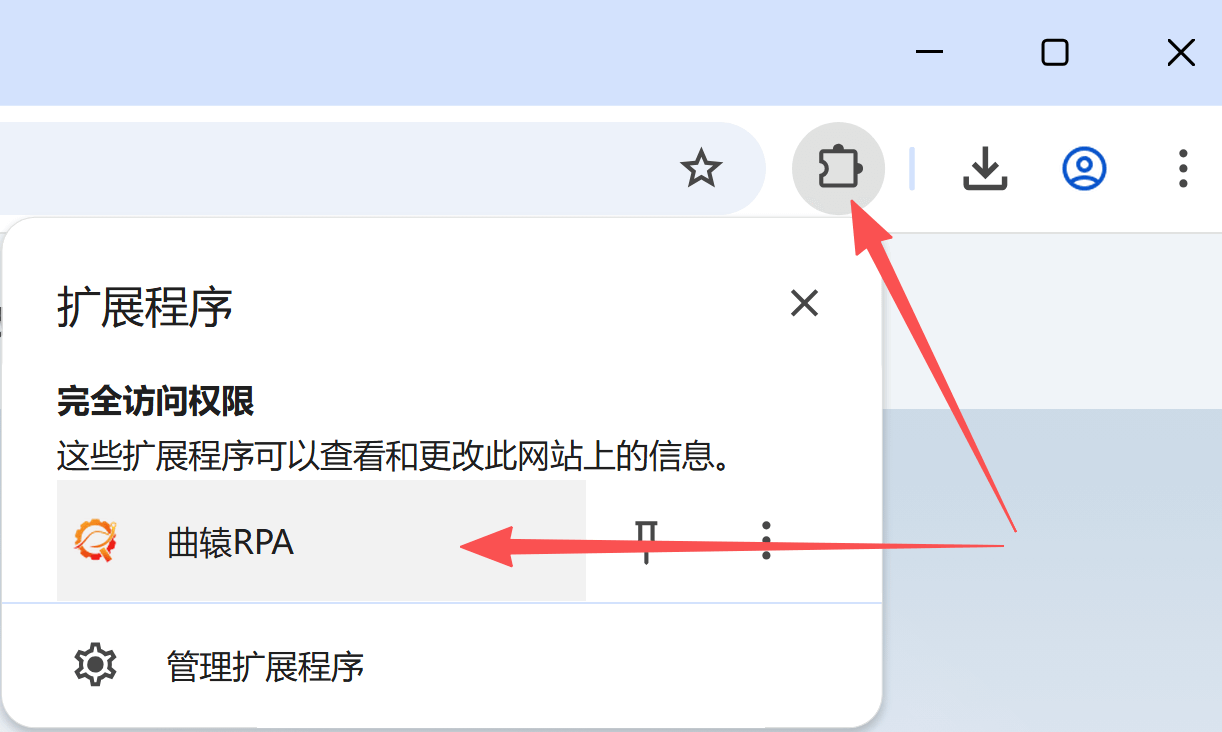
Get envId
Open the Runavelo extension from the upper-right corner of the BitBrowser or AdsPower window. Runavelo generates a unique envId for each window. Reinstalling the extension changes the envId.
-
Specify envId
Configure envId in Open Webpage to open the URL in the corresponding BitBrowser or AdsPower window. For subsequent commands, select the returned Webpage Object to continue automating that browser window.
tip
- Install the Runavelo browser extension before using this command.
- This command cannot start a BitBrowser or AdsPower window. It opens a new webpage in an already-running window with a known envId. To start a window automatically, first use Open Fingerprint Browser Window and use its returned envId.
- Runavelo browser extension 2.0.0 or later
Example
Related links
Operate a Specific BitBrowser or AdsPower Window